What your family will see
The best protection against confusion and against scams is telling your family now what a real message will look like. This page shows exactly what they receive and how they open their vault. You can send them a link to it.
Follow along: click the app window and press Windows key + Left arrow, then click this browser and press Windows key + Right arrow. The app and this guide sit side by side.
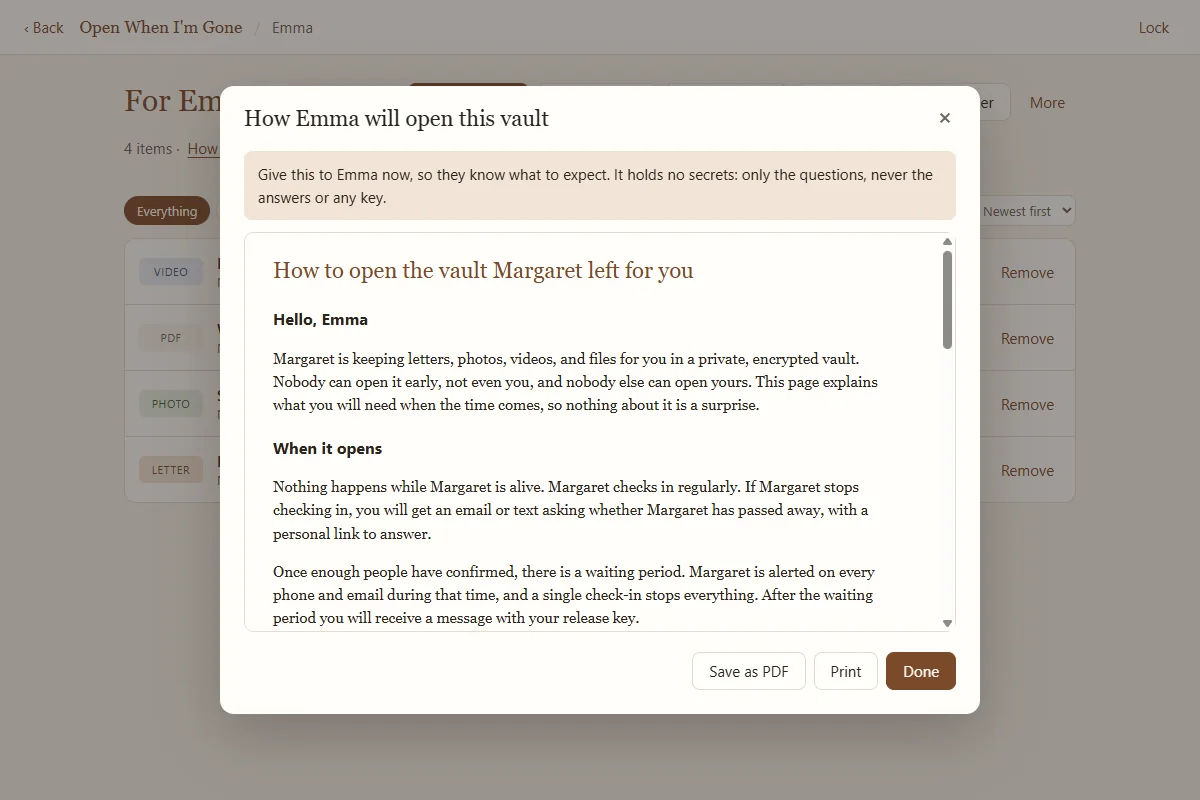
The family guide: give it to them now
On each person's page, click How [name] will open this (or More, then How [name] will open this vault). It is a one page guide written to them, titled "How to open the vault [your name] left for you". It holds no secrets: only their three questions, never the answers or any key. Click Print or Save as PDF and give it to them.
It explains when it opens, what they will need, their three questions, how to open the vault, how to stay safe from fake messages, and what to do if they get stuck. Add your name in Settings first so the guide uses it.
The messages they may receive
Your family hears nothing at all while you keep checking in. If you stop, these are the messages, in order. Real messages never ask for passwords, answers, or money.
1. "A question about [your name]"
Sent after your reminders run out (about two weeks with the default timing). It explains that you set up Open When I'm Gone, says how many days you have not checked in, and gives them a personal link. On that page they choose:
- "Yes, [your name] has passed away", after ticking "I am sure [your name] has passed away.", or
- "No, [your name] is fine", which stops the process and asks you to check in.
The page also says: "If you are not sure, do nothing for now and talk with the family." The question is repeated every two days until enough people answer.
"[Your name] is fine"
If you check in at any point before release, everyone who was asked gets this message, and nothing else happens.
2. "A message from [your name]"
Sent only after enough people confirmed (two by default) and the final waiting period passed (72 hours by default) with no check-in from you. Each person receives their own message with:
- your intro message, if you wrote one;
- a link to their personal page with everything they need;
- their three questions;
- their release key: 55 letters and numbers in groups of five;
- where to find the vault, in the words you wrote;
- short instructions for opening it.
Extra confirmers, such as an attorney, receive a short thank you instead, with no key.
How your family opens their vault
- Find a copy of the vaultOn your computer, on the backup USB drive, or in the backup folder. Look for the folder named Open When I'm Gone Backup.
- Run the viewerDouble click Open When I'm Gone Viewer in that folder. It needs no installation. Windows may ask for permission to run it. (If the app is installed on the computer, Open a vault left for me on the welcome screen does the same.)
- Find the vaultIf the viewer does not find it by itself, click Choose folder and pick the backup folder or the USB drive.
- Choose their nameUnder "Who are you?", click their name.
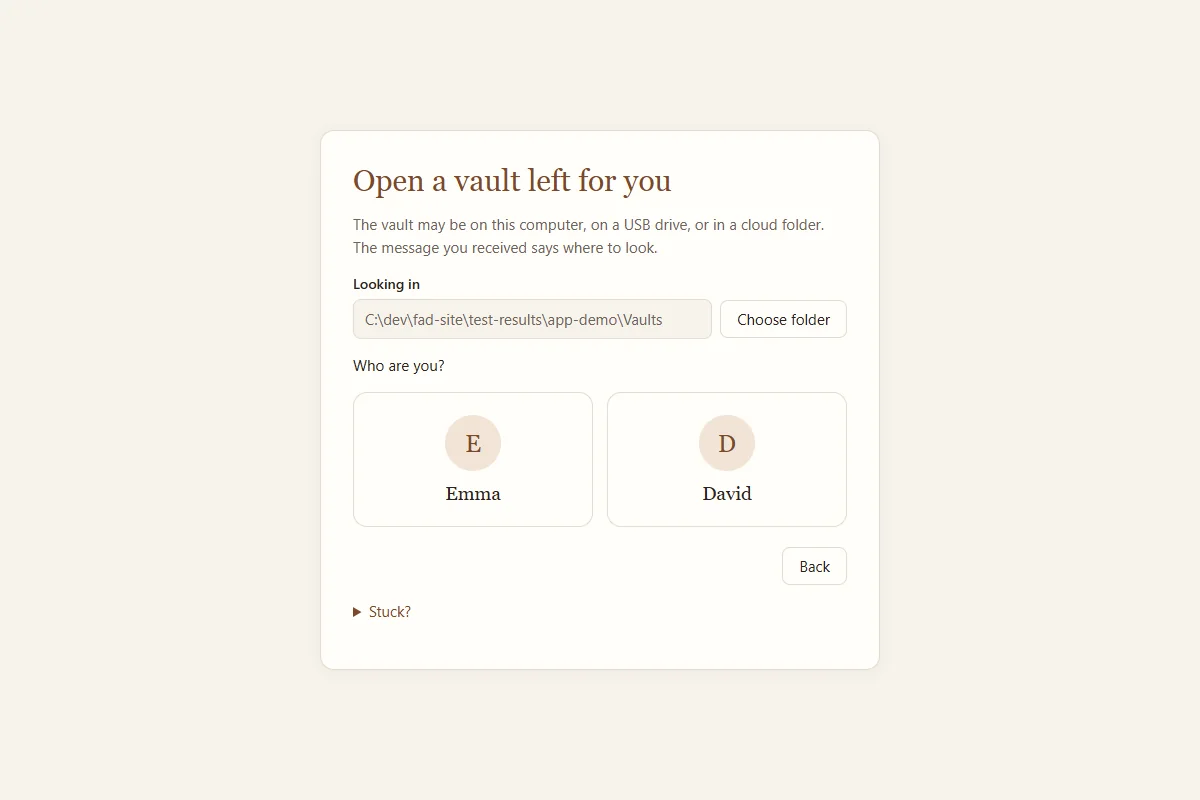
Finding the vault and choosing a name. - Answer and unlockType the answers to the three questions and the release key from the message (paste it, click Load key file, or Scan QR code). Click Open my vault. Opening takes a few seconds.
- Read, watch, and listenTheir vault opens, read only. They can open everything and use Export a copy to save anything to their own computer.
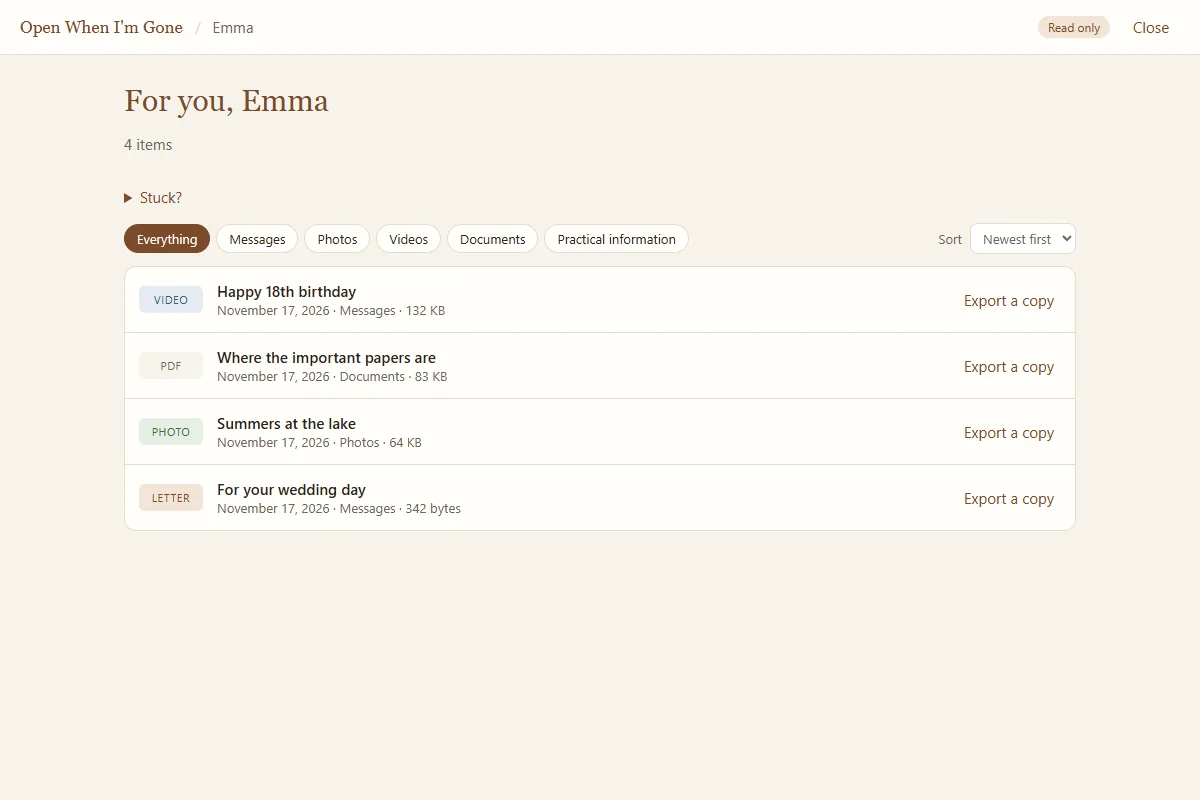
The opened vault, read only.
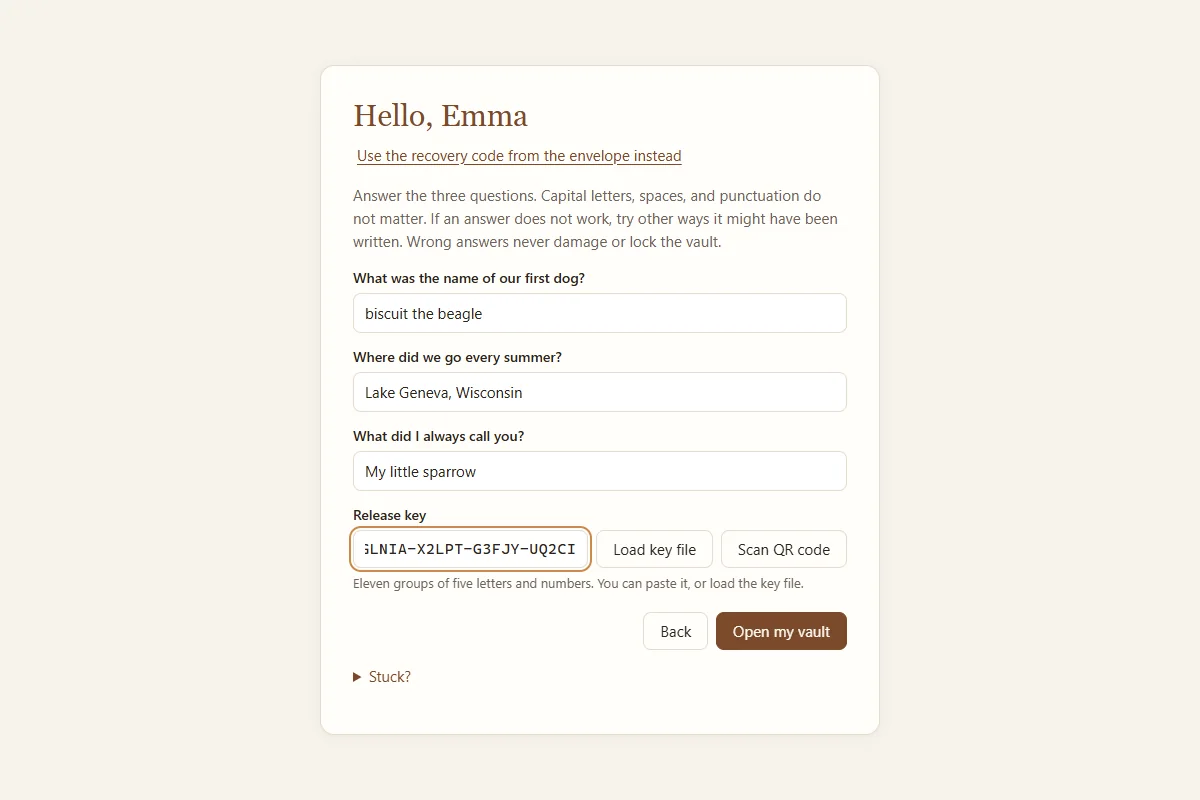
Capital letters, spaces, and punctuation in the answers do not matter, and a wrong answer never damages or locks the vault. If an answer does not work, they can try other ways it might have been written.
If the answers do not work: the sealed envelope
On the unlock screen they click Use the recovery code from the envelope instead and type the recovery code from their sealed recovery kit, or scan its QR code. The recovery code opens the vault by itself, without the answers and without the check-in service.
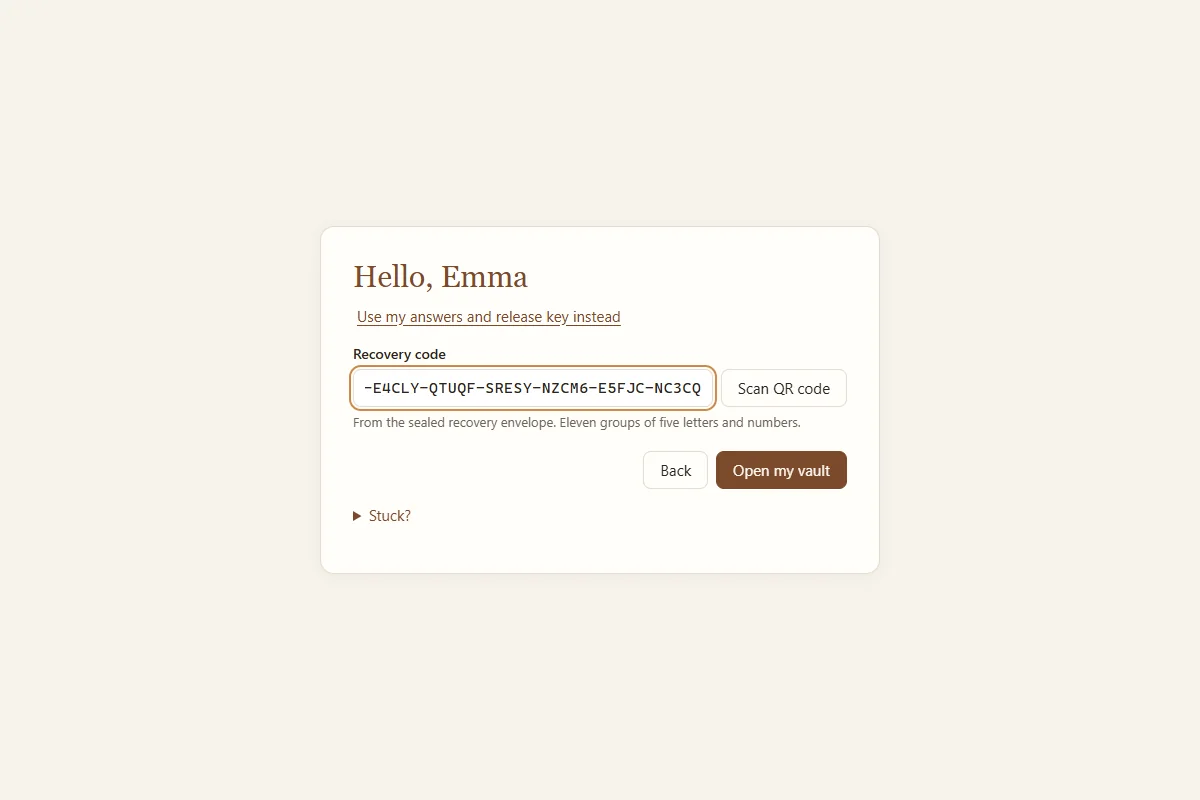
The Stuck? button on these screens explains the same thing in plain words.
If the check-in service no longer exists
Nothing depends on us. With the backup folder and their sealed envelope, they can open their vault on any Windows computer, with no internet. If even the viewer will not run, the backup folder holds FORMAT.md and owig_decrypt.py, which let a computer technician open the vault with the recovery code.
Staying safe
Real messages come from foreverandaday.org, never ask for passwords, answers, or money, and never ask anyone to install anything except the viewer that is already in your backup folder. If a message seems wrong, the safest thing is to do nothing and talk to the family.